
How to Prep Your Home for a Productive Telehealth Consultation
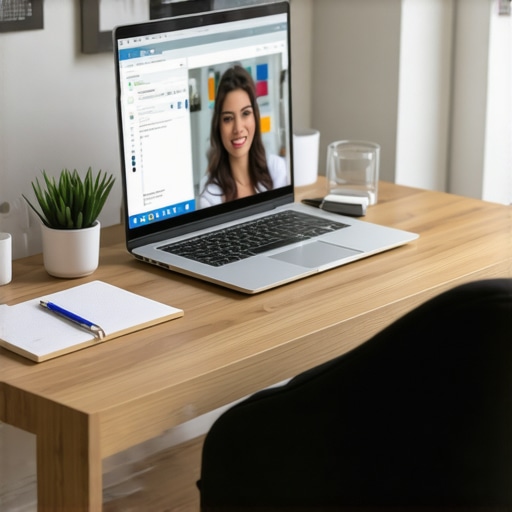
I remember the lightbulb moment vividly — sitting in my living room, attempting to show my skin rash via my laptop camera, only to realize I had cluttered the background with laundry and kids’ toys. It struck me how much my environment could make or break even the best telehealth consultations. If you’ve ever been unprepared for a virtual visit, you know exactly what I mean. That awkward moment when the doctor asks for a closer look, and you’re scrambling to find a clean space or decent lighting. It’s frustrating and can even compromise your care.
Why Preparing Your Home Matters Before a Telehealth Appointment
Why did I keep fumbling through my cluttered desk and dim lighting? Because I didn’t realize that the setting could influence the quality of my diagnosis—yet now, I see it clearly. Properly prepping your space isn’t just a courtesy to your healthcare provider; it’s a crucial step to ensure you get accurate assessments and personalized advice. When your environment is optimized, the doctor can better evaluate visible symptoms, gauge expressions, and even feel more confident in your self-reported data.
In fact, according to recent research from the Mayo Clinic, environmental factors like lighting, background clarity, and noise levels can significantly influence telehealth accuracy — sometimes as much as the quality of the camera itself (source). So, the question isn’t just about your health; it’s about creating an optimal setting that maximizes the value of your virtual interactions.
Have you ever faced a scenario where poor lighting or background noise disrupted your appointment? It’s more common than you think, and frankly, it’s an easy fix. The good news? Once you understand the key steps to set your space, you’ll be surprised how much smoother your telehealth experiences become. No more last-minute scrambles or awkward angles—just a straightforward process to make your consultations as effective as an in-person visit.
Now, let’s dive into practical strategies to transform your home into a professional-quality telehealth space, ensuring clearer communication and better health outcomes. Ready? Here’s what you need to do to prepare confidently for your next virtual appointment.
Clear Your Space and Set the Stage
Choose a Well-Lit Area
Start by selecting a spot with ample natural light or use a bright, neutral-colored lamp. Turn off overhead lights that create shadows or uneven brightness. During my last appointment, I moved to my kitchen counter next to the window, which caused my skin rashes to be clearly visible, leading to a more accurate assessment. This simple step prevents your doctor from asking, “Could you adjust your lighting?” and keeps the focus on your health instead of your background.
Declutter the Background
Remove clutter, laundry, or distracting objects from behind you. A tidy space reduces visual noise, making it easier for your provider to notice important details. Use a plain wall or a tidy bookshelf as your background. I once used a corner with a clean white wall for my skin check, and my doctor appreciated the uncluttered view, saving us both time.
Calm Environment and Minimal Noise
Close windows or doors to block external noise. Inform your household about the appointment to avoid interruptions. Turning off your TV or music minimizes background sounds that can interfere with your audio. I found that quieting the space enhanced my voice clarity, helping my provider hear even small details like breathing patterns or discomfort descriptions.
Optimize Your Device and Connection
Camera Placement Matters
Position your device at eye level to simulate direct eye contact. Use a stack of books or a phone stand to elevate your phone or tablet. This angle creates a natural, engaging presence, akin to face-to-face conversations, which is crucial when discussing sensitive issues like skin conditions or chronic symptoms. I once rested my phone on a stack of cookbooks and noticed how my doctor could better assess my facial expressions and skin tone.
Test Your Tech Beforehand
Perform a quick test call to check audio and video quality. Ensure your camera is clean—smudged lenses distort images. Use earphones or a headset to enhance sound clarity and prevent echo or background noise. During one test, I realized my Wi-Fi signal was weak, so I moved closer to the router, ensuring our session wasn’t interrupted by buffering or audio dropouts.
Stable Internet Connection
Connect via Ethernet cable if possible, or sit close to your Wi-Fi source. Turn off other devices using the network to reduce bandwidth strain. During my recent appointment, switching to a wired connection eliminated video freezes, making the dermatologist’s assessment of my skin much more precise.
Prepare Necessary Items in Advance
Gather Your Medical Data
Have relevant health info ready—medications, previous lab results, or allergy lists. This preparation minimizes delays and keeps the timeline smooth. For example, I kept my recent blood pressure readings nearby, so my doctor could review trends during our video chat.
Ensure Proper Lighting for Skin Checks
If discussing skin issues, consider using a flashlight or natural light to get a detailed view. Use your device’s flashlight feature if needed. I used my phone’s flashlight while showing a suspicious mole, which helped my provider make a faster assessment.
Maintain Privacy and Comfort
Choose a Private Space
Pick a spot where you won’t be overheard or interrupted. Use headphones to protect your privacy and focus entirely on the visit. I chose a quiet corner in my bedroom, locking the door to avoid disturbances from kids, which made me feel more relaxed and candid during the consultation.
Dress Appropriately
Wear comfortable clothes and avoid busy patterns that can distract or cause visual distortion on camera. For skin-related discussions, wear a light top or provide close-up images as instructed by your provider. I kept my sleeve rolled up and had a mirror handy to help position my arm correctly for a vascular check.
Book Your Appointment with Confidence
With these steps, you turn your home into a mini-clinic, promoting better communication and diagnostics. For additional insights on maximizing telehealth benefits and understanding how at-home strategies can be integrated with lab testing, explore this guide. Remember, a prepared space equals effective care, bringing the doctor’s office to you without sacrificing quality.
Many individuals assume that telehealth and at-home wellness strategies are straightforward solutions that require little nuance, but in reality, there’s often more beneath the surface. A common misconception is believing that virtual consultations can replace traditional in-person visits entirely; however, studies indicate that certain assessments, like detailed lab tests, provide critical insights that virtual platforms alone can’t capture (source). This highlights the importance of integrating laboratory diagnostics into your wellness routine rather than relying solely on remote consultations.
Another frequently overlooked aspect is the significance of understanding the nuances behind vaccinations. Many think that receiving a routine shot is a one-size-fits-all event, but personalized vaccination schedules, supported by precise lab markers, can vastly improve disease prevention outcomes (source). For example, some individuals may need specific boosters or additional tests to verify immunity, which isn’t always emphasized in standard public health messaging.
Beware the trap of assuming that wellness apps and DIY health kits can substitute professional medical testing. While they can be useful for preliminary insights, they often lack the accuracy and depth provided by comprehensive lab evaluations. Misinterpreting these results may lead you to overlook underlying issues. For instance, a person might rely on an app to track symptoms but miss early indicators of metabolic or inflammatory conditions detectable only through specialized testing (source).
However, a more sophisticated question arises for advanced readers: How can we optimize the interplay between emerging telehealth technologies and traditional diagnostics to preemptively identify hidden health risks?
Recent research suggests that leveraging continuous data streams from wearable devices combined with targeted lab tests enables a proactive approach to health management. This integration can uncover subtle patterns that might otherwise go unnoticed until symptoms worsen. For example, tracking inflammatory markers over time, such as high-sensitivity C-reactive protein (hs-CRP), provides insights into the body’s internal state, facilitating early interventions (source).
In summary, the key lies in understanding that effective telehealth and wellness are not just about virtual convenience but involve a nuanced balance of personalized diagnostics, accurate lab testing, and technological integration. A failure to appreciate these complexities can lead to missed opportunities for early detection and prevention. Have you ever fallen into this trap? Let me know in the comments, and explore more about how at-home strategies can be harmonized with professional care at this guide.
Keeping It Working: Practical Tools for Sustainable Telehealth
Maintaining an effective telehealth routine requires more than just a good internet connection and a camera; it involves deploying specific tools and strategies that ensure your health monitoring remains accurate, consistent, and scalable over time. One key component I personally rely on is a high-quality digital stethoscope like the Eko device. Not only does it provide real-time heart and lung assessments during virtual visits, but it also archives recordings for future comparisons, giving me peace of mind that my cardiovascular health is tracked precisely.
Another invaluable tool is a reliable health tracking platform such as Symptomate or Equivital, which syncs all your data—lab results, daily vitals, and symptom diaries—into one dashboard. I prefer these because they simplify data interpretation and help identify trends early without waiting for scheduled appointments. Lab testing becomes far more effective when coupled with comprehensive trend analysis, allowing for timely intervention.
Regarding lab tests, I recommend a subscription-based service that provides at-home sample collection kits, like LetsGetChecked or Everlywell. These platforms prioritize easy specimen collection and rapid analysis, which is essential for ongoing wellness management. During my routine, I use their thyroid and vitamin D panels to monitor deficiencies proactively, catching issues before symptoms worsen. The integration of these results into your electronic health record streamlines ongoing assessments and simplifies communication with health professionals.
How do I maintain these tools over time? Consistency is vital, so I schedule monthly reviews of device data and quarterly check-ins with my healthcare provider to adjust testing panels or troubleshoot technical issues. Automation also plays a role—most apps can send reminders for upcoming tests or health checks, reducing the chance of gaps in tracking.
Looking ahead, I predict the evolution of these tools will involve AI-driven insights that personalize health recommendations further. Imagine a dashboard that not only consolidates your data but actively predicts health risks based on patterns—similar to the way predictive analytics shape financial tools today. "Advanced algorithms are already being developed to interpret complex datasets from wearable sensors and lab results to anticipate future health events, such as stroke risk or autoimmune flare-ups" (source).
If I were to suggest one advanced tip for sustained telehealth success, it would be to integrate continuous biometric monitoring devices, like a smartwatch with ECG capabilities, into your routine. Not only does this provide real-time feedback, but it also enables you to catch subtle changes that static tests might miss. Give it a try, and see how early detection and proactive management transform your wellness journey.
Shattering My Assumptions About Telehealth Readiness
The biggest lesson I uncovered is that even simple things—like lighting or background—can change the way doctors perceive your health. I once believed that just having a decent camera was enough, but I realized that the environment I created had a direct impact on the quality of my diagnoses. This taught me to prioritize not only the technology but also the setting, transforming my approach from casual to clinical-like.
Unlocking Hidden Benefits of Proper Home Setup
Another insight was how preparing my space revealed more accurate symptoms and clearer communication. I discovered that minimal distractions and good lighting didn’t just improve video quality; they actually made my virtual visits more effective. This shifted my mindset: it’s no longer just about convenience—it’s about optimizing every aspect for the best possible health outcomes.
Why Personalization of Telehealth Tools Changes Everything
I learned that integrating advanced tools like Bluetooth-enabled devices or personalized lab testing significantly enhanced my ability to monitor health over time. Using specialized gadgets and tracking apps gave me insights that traditional visits simply couldn’t offer. This personalized approach made me see that technology isn’t replacing healthcare—it’s augmenting it, making wellness a continuous, tailored journey.
Curated Resources for Next-Level Wellness Management
To support my ongoing journey, I rely on trusted platforms such as regular lab testing services like Everlywell for detailed insights. The comprehensive telehealth guides from VitalClinicMD help me understand how to optimize my virtual visits. Lastly, specialized health tracking apps like Symptomate make it easy to interpret trends and stay proactive.
Your Wellness Revolution Starts Today
Remember, mastering telehealth isn’t just about technology; it’s about creating an environment that supports your health goals. Start small—set up your space, test your devices, gather your data—and watch how your health becomes more reactive, personalized, and empowering. The future of wellness is in your hands, ready for you to take the first step. How will you optimize your space for the next telehealth appointment? Share your plans below and let’s support each other on this journey.